For creating bylines via Profiles, see the Author Bylines article.
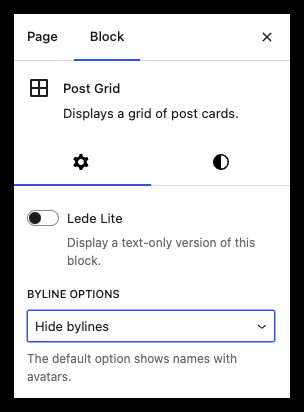
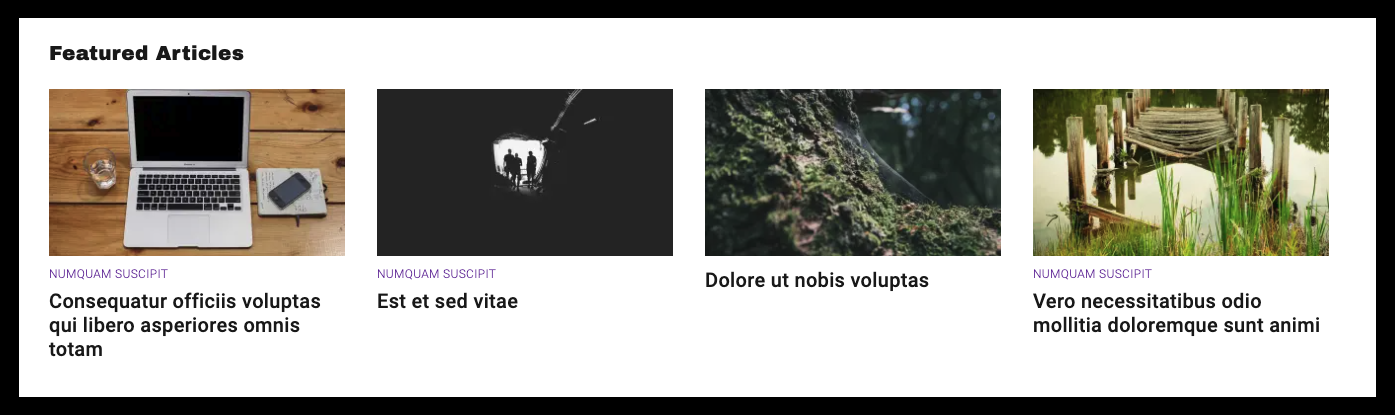
A byline names the writer of an article, as opposed to the creator of an article, and appears on the public post. Each supported block type now offers three distinct byline styles:
Classic Display: Author byline with avatar (default)
Minimalist Display: Author byline without avatar
Hidden: No byline shown
With these options, you can maintain visual consistency across your site while adapting the byline presentation to suit different content areas and design preferences. These customization options are available in three key homepage blocks:
Featured Topic
Post Grid
Post River
To customize the byline display:
Select your target homepage block
Open the block sidebar
Locate the Byline Option dropdown
Choose your preferred display style