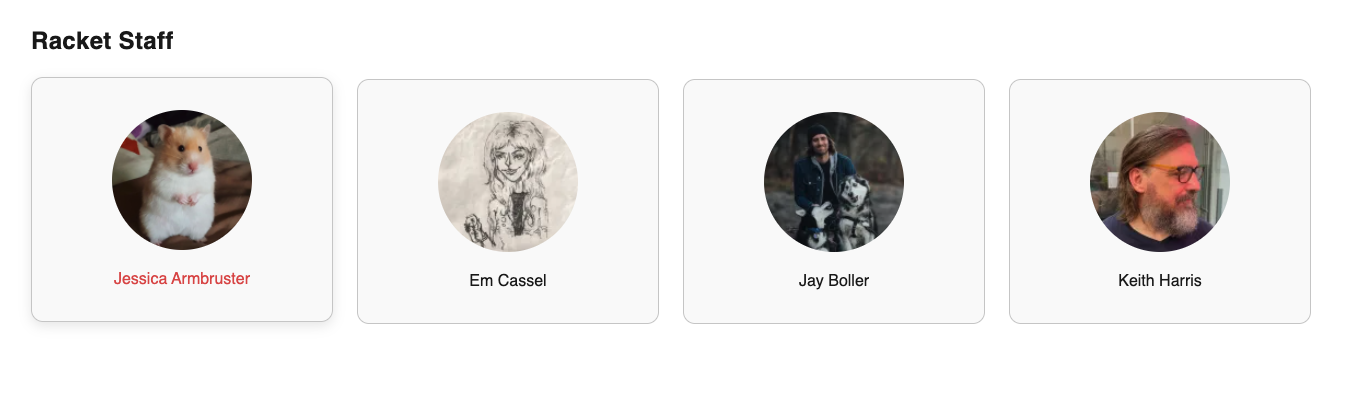
The Featured Authors block displays a curated grid of author cards on your site. Each card shows the author’s avatar (or their initials if no photo is set) and name, and links to that author’s archive page. You choose which authors appear and in what order, up to 12 per block.
This is useful for highlighting your team on an About page, showcasing contributors on a landing page, or featuring columnists on your homepage.
Where It Can Be Used
The Featured Authors block is available on Pages and Reusable Blocks only. It cannot be added directly to Posts.
If you want the block to appear on your homepage, add it to the page assigned as your site’s homepage, or include it via a reusable block.
Configuration
Adding Authors
- Add the Featured Authors block to your page.
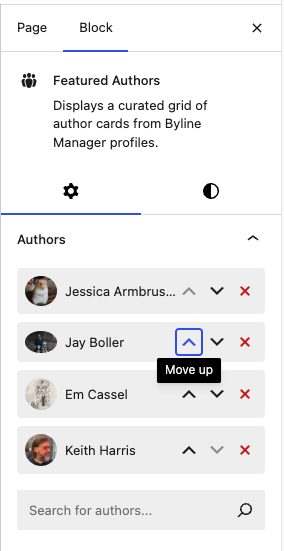
- In the block settings sidebar (right panel), you’ll see the Author Picker.
- Start typing an author’s name in the search field. A dropdown will appear with matching Byline Manager profiles.
- Click an author to add them. They’ll appear in a list below the search field.
- Repeat to add more authors (up to 12 maximum). When the limit is reached, the picker will display a “Maximum authors selected” message.
Reordering Authors
Authors display in the exact order you select them. To change the order, use the up/down arrow buttons next to each author in the sidebar list. To remove an author, click the X button.
Adding a Title
The block includes an optional title field above the author grid. Click the title area in the editor to type a heading. Basic formatting (bold and italic) is supported.
Layout & Alignment
- The block supports wide alignment, which you can toggle from the block toolbar.
- You can adjust margin and padding from the block settings sidebar under the Dimensions section.
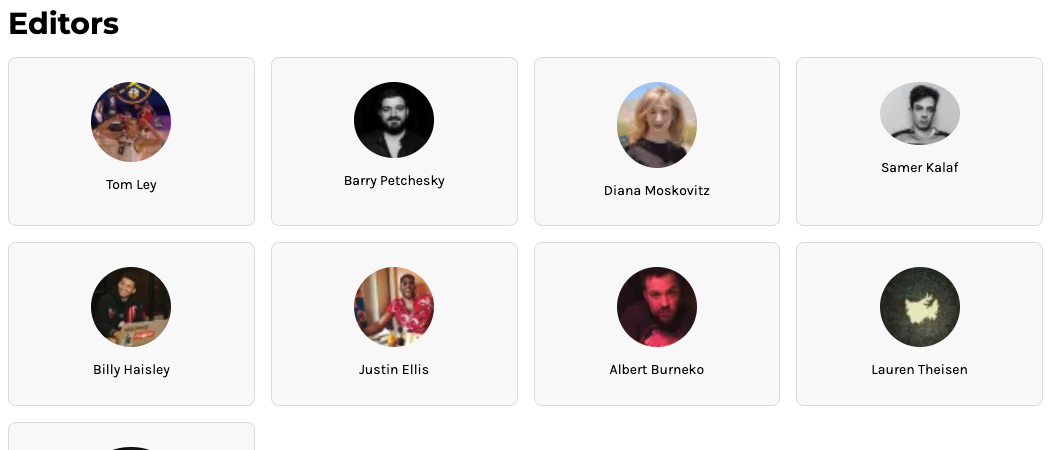
The grid is fully responsive:
- Desktop: 4 columns
- Tablet: 2 columns
- Mobile: 1 column
Appearance
Each author is displayed as a card containing:
- A circular avatar using the author’s featured image. If no image is set, the author’s initials are displayed on a dark circular background.
- The author’s name below the avatar.
- A subtle hover effect (shadow and slight upward movement) indicating the card is clickable.
Cards link to the author’s archive page, where readers can see all posts by that author.
The block respects your site’s color theme, including dark mode — no additional configuration is needed.

Examples
“Meet Our Team” Page
Add a Featured Authors block to your About or Team page with all your staff writers. Give it a title like “Our Writers” and use wide alignment to fill the page width.
Homepage Spotlight
Feature 4–8 of your most active or notable contributors on the homepage to give readers quick access to their favorite writers’ archives.
Reusable Pattern for Consistency
Create a reusable pattern containing a Featured Authors block with your core team. Insert it on multiple pages so it stays consistent and can be updated in one place.
Limitations
- Maximum of 12 authors per block
- Not available on Posts — only Pages and reusable blocks (patterns).
- Authors must exist as Byline Manager profiles to appear in the picker.
- The block does not automatically populate — you must manually select each author.
- Author cards always link to the author’s archive page; this link destination cannot be customized.