You can customize the confirmation messages that appear after users complete a subscription or gift subscription purchase. These messages are an excellent opportunity to encourage engagement and create a welcoming experience for your subscribers.
Where These Messages Appear
Confirmation messages are displayed on the following pages:
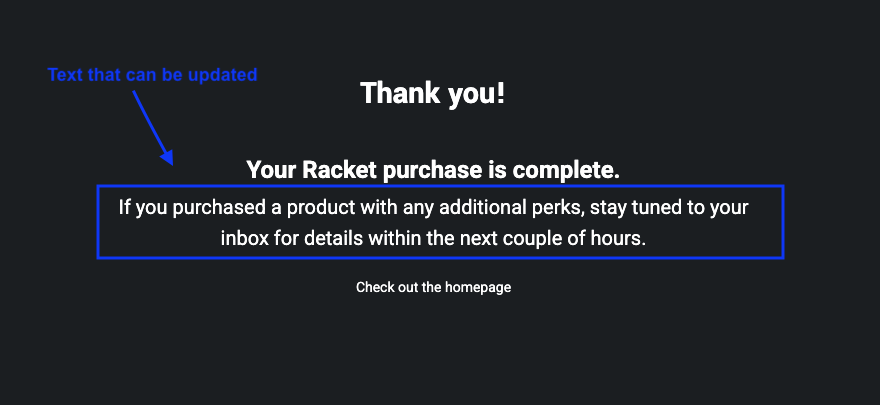
- Subscription purchases: /payment/complete
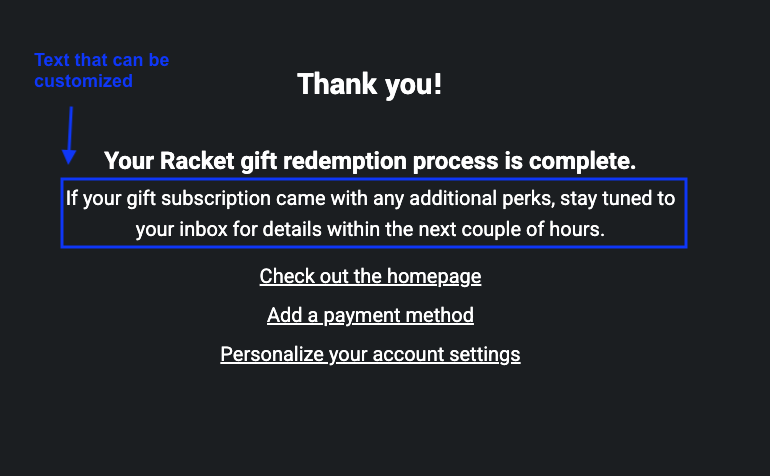
- Gift subscription redemptions: /gift/redeem/complete
Default Message Text
By default, the following messages are shown:
- Subscription purchases: “If you purchased a product with any additional perks, stay tuned to your inbox for details within the next couple of hours.”
- Gift subscriptions: “If your gift subscription came with any additional perks, stay tuned to your inbox for details within the next couple of hours.”
How to Customize Your Messages
To edit these confirmation messages:
- Navigate to Settings > Messaging & Copy in the Publisher App
- Update the Subscription Purchase Confirmation field to change the message shown after a subscription purchase, and the Gift Redemption Message field to change the message shown after a gift redemption
- Click Save