Subcategory navigation is a new feature that provides enhanced visibility for subcategories, making category hierarchies clear and showcasing the breadth and depth of available subcategories. This feature may deliver valuable user experience and business benefits.
User Experience benefits
Improved Navigation Efficiency: Users can quickly scan and jump to their specific area of interest without navigating through multiple pages or relying on search functionality.
Reduced Cognitive Load: Clear subcategory organization helps users mentally map the site structure and understand available content. This reduces decision paralysis and makes browsing more intuitive.
Enhanced Discoverability: Users often discover related interests they weren’t initially seeking, leading to serendipitous content discovery.
Faster Task Completion: Whether users are browsing casually or pursuing specific goals, visible subcategories create more direct pathways to relevant content, reducing the number of clicks and page loads required.
Business benefits
Increased Page Views and Session Duration: By making it easier for users to explore related subcategories, you naturally encourage deeper site engagement and longer browsing sessions.
Better SEO Performance: Subcategory links create clear internal linking structures that help search engines understand your site taxonomy. Each subcategory link also provides keyword-rich anchor text that can boost rankings for those terms.
Improved Conversion Opportunities: More efficient navigation means users are more likely to find content they want to engage with, reducing bounce rates and increasing conversion potential.
Enhanced Analytics and User Insights: Clear category separation makes it easier to track which content types are most popular, informing content strategy and business decisions.
How it appears
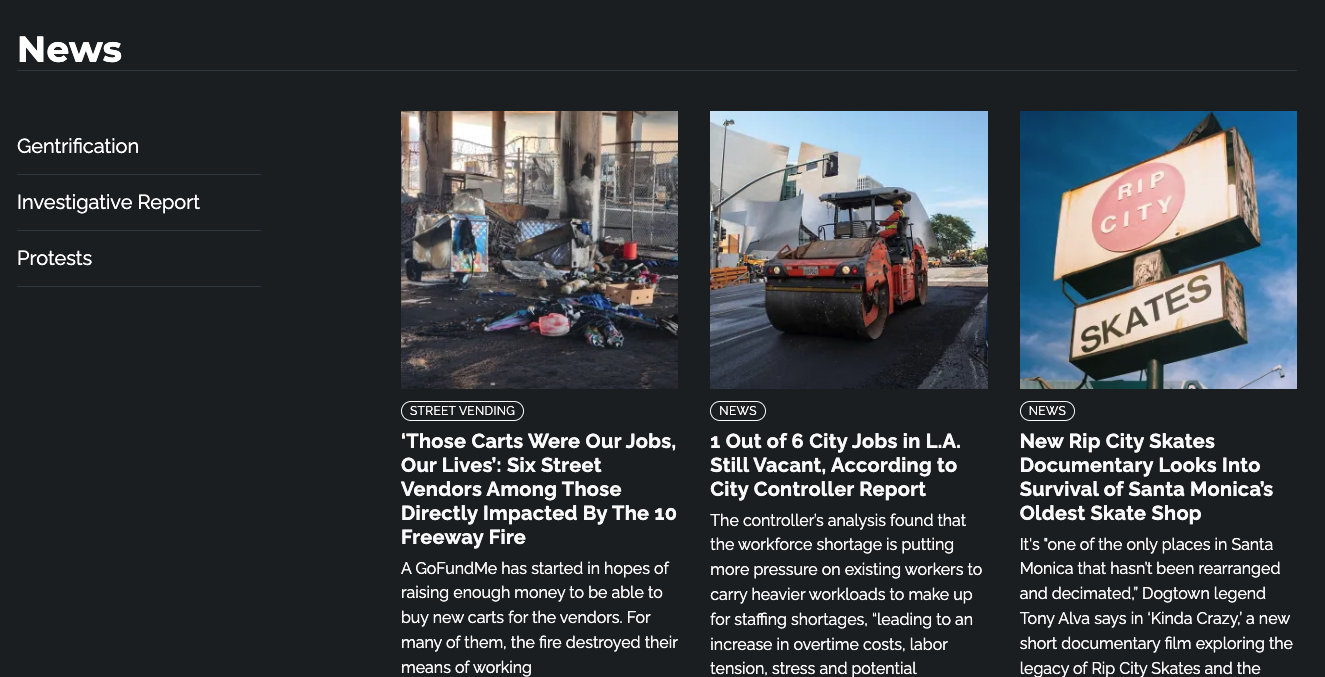
The subcategory navigation displays on the parent category page, with subcategories listed in alphabetical order.
5 or fewer subcategories.
When there are 5 or fewer subcategories, they display in a sidebar menu to the left of the river or grid of posts. In the example shown, Gentrification, Investigate Report, and Protests are subcategories of News.
More than 5 subcategories.
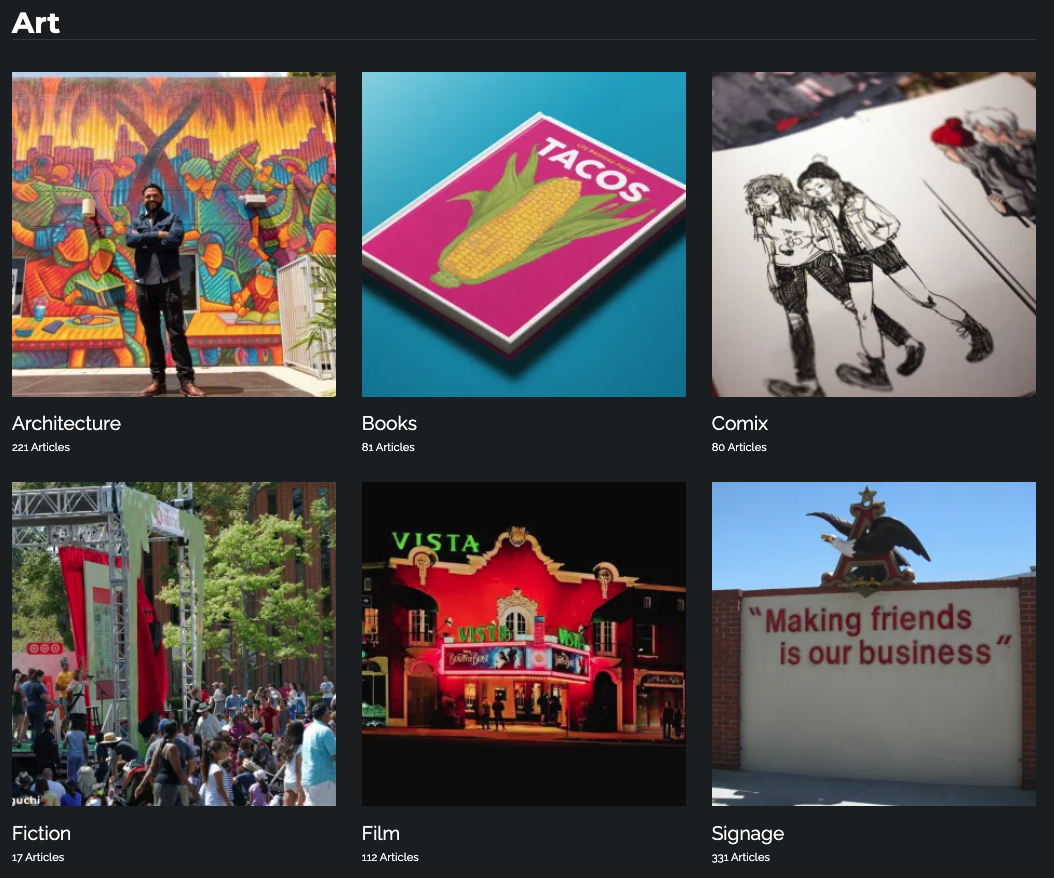
When there are more than 5 subcategories, they display in a three-across grid layout, replacing the river of posts. Category featured images are optional in this view. In the example shown, Architecture, Books, Comix, Fiction, Film, and Signage are subcategories of Art.
In this view, category featured images are used and the number of articles in each subcategory displays under the subcategory title.
⚠️ Important Note: Subcategory navigation does not display when there are more than 24 subcategories.
How to activate subcategory navigation
Subcategory navigation is optional and turned off by default.
To activate subcategory navigation:
- Navigate to Settings > Appearance in the Publisher App and expand the Archives group
- Check the Show Subcategory Navigation box
- Click Save