Using the Lede Publisher App, you can directly manage information in our database about your customers, products (subscription levels), newsletters, and coupons (sales or promotional codes).
Accessing the Publisher App
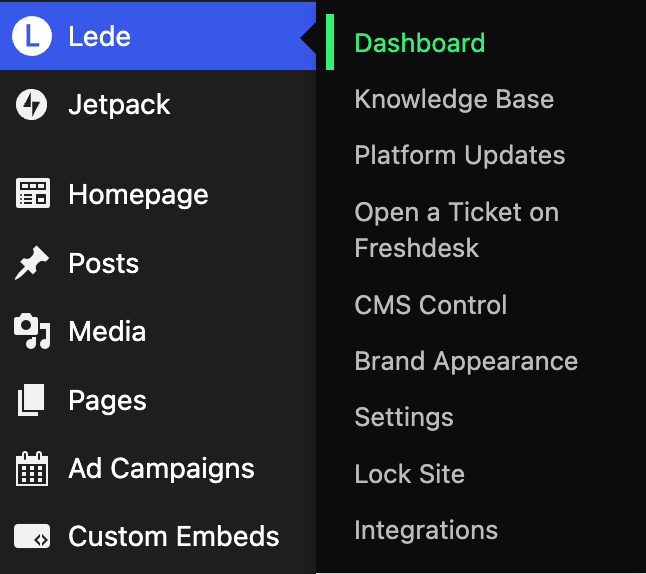
The Publisher App is accessible to WordPress users with “administrator” level permissions. To access the Publisher App, click Lede > Dashboard in your WordPress admin sidebar, or sign in directly at app.joinlede.com:
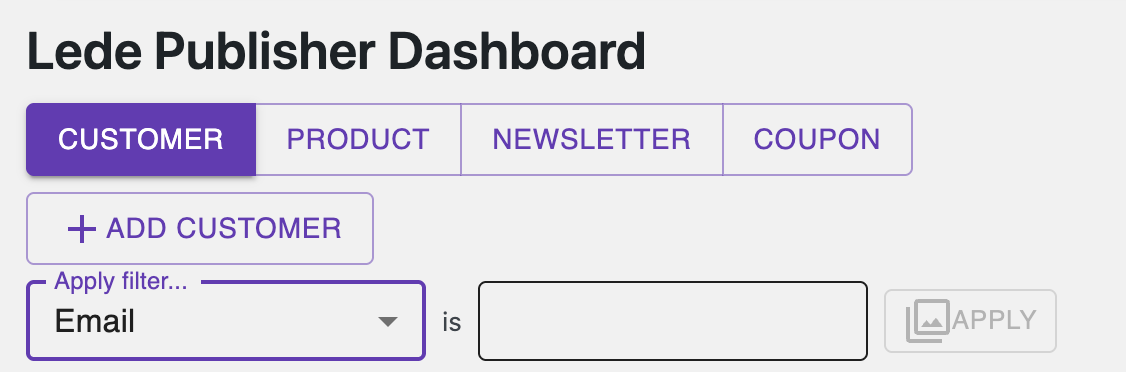
You can use the navigation controls at the top of the Publisher App to select which objects to manage, and optionally apply filters to find what you’re looking for more quickly:
Things to keep in mind
Customers
- You can change a customer’s email or password using the Publisher App. Doing so will automatically update the customer’s email address (if applicable) in your Stripe Dashboard.
- Editing a customer with a paid subscription will display an informational box alongside the customer information showing the subscription details, along with a link to Stripe if you need to make changes to the subscription. Financial operations (refunds, price changes, etc) need to be done using Stripe. They will automatically sync back to our database.
- Customers without an active or expired subscription will present an option to grant a complimentary subscription. You can use this to grant the customer in question a monthly or annual complimentary subscription to a given product. You can still grant complimentary subscriptions to customers with expired subscriptions directly in Stripe.
- Customers with a complimentary subscription that was granted by the Publisher App will present an option to revoke the complimentary subscription. This option will only be available if the complimentary subscription was initially created with the Publisher App (rather than directly with Stripe).
- A customer’s detail view includes a Newsletter Subscriptions panel where you can opt them into or out of your newsletters. Changes apply immediately and sync to your email provider. Premium newsletters can only be enabled for customers whose active subscription includes premium newsletter access.
Products
- When updating a product’s price, the Publisher App will automatically create a new “price” in Stripe for the product and being conducting customer transactions for the product with the new price. If you revert to an existing price, the existing price object in Stripe will be reused.
- Changing a product’s price will only change for new transactions going forward. Existing customers will continue to renew at the price they first purchased. If you would like to “graduate” existing customers to the new price, please file a support ticket and we can take care of this for you.
- Every product must include at least one entitlement — the access the product grants to subscribers, such as website access or a premium newsletter. When creating or editing a product, select one or more entitlements from the list on the product form. If you don’t see an entitlement you expect, or need a new kind of access for a product, file a request at app.joinlede.com/support/new.
- Products can alternatively offer choose-your-own pricing, where subscribers pick from your suggested contribution amounts or name their own price instead of paying a fixed price.
Newsletters
- When you create a newsletter in the Publisher App, the corresponding list is automatically created in your configured email service provider (Beehiiv by default; Subtext is also supported). You do not need to set the list up manually — the provider’s list ID is assigned after you save the newsletter.
Coupons
- A coupon refers to any form of discount offers off the default purchase price of a product. Coupons can apply automatically to any purchase a certain product, in which case the Publisher App refers to it as a “sale.” Coupons can also apply only to a customer who knows the coupon code ahead of time and enters it into the coupon form at checkout, which the Publisher App refers to a “promotional code.” Both methods of discounting use the same mechanism in Stripe; sales are just applied automatically and promotional codes are only applied for customers who present the correct code.